10 Use Cases in VR For Military Training

VR for Military Training

For any country, Military training is one of the most important things which keep the soldier ready for any situation.

As a CEO of Twin Reality. I definitely like to talk about VR Industrial Training which includes Military trainings

Coming from a background where I saw soldiers always go for training in various part of the country I can say that VR has potential use case in Military Training

So directly starting from some of the most important use cases which are:

1. Combat Simulations:

				
					Use Case: Soldiers undergo realistic combat scenarios in a controlled environment.


					Purpose: Prepares soldiers for high-stress situations, such as urban warfare or ambushes, without the risks of real combat.


					Benefit: Enhances decision-making and situational awareness under pressure.


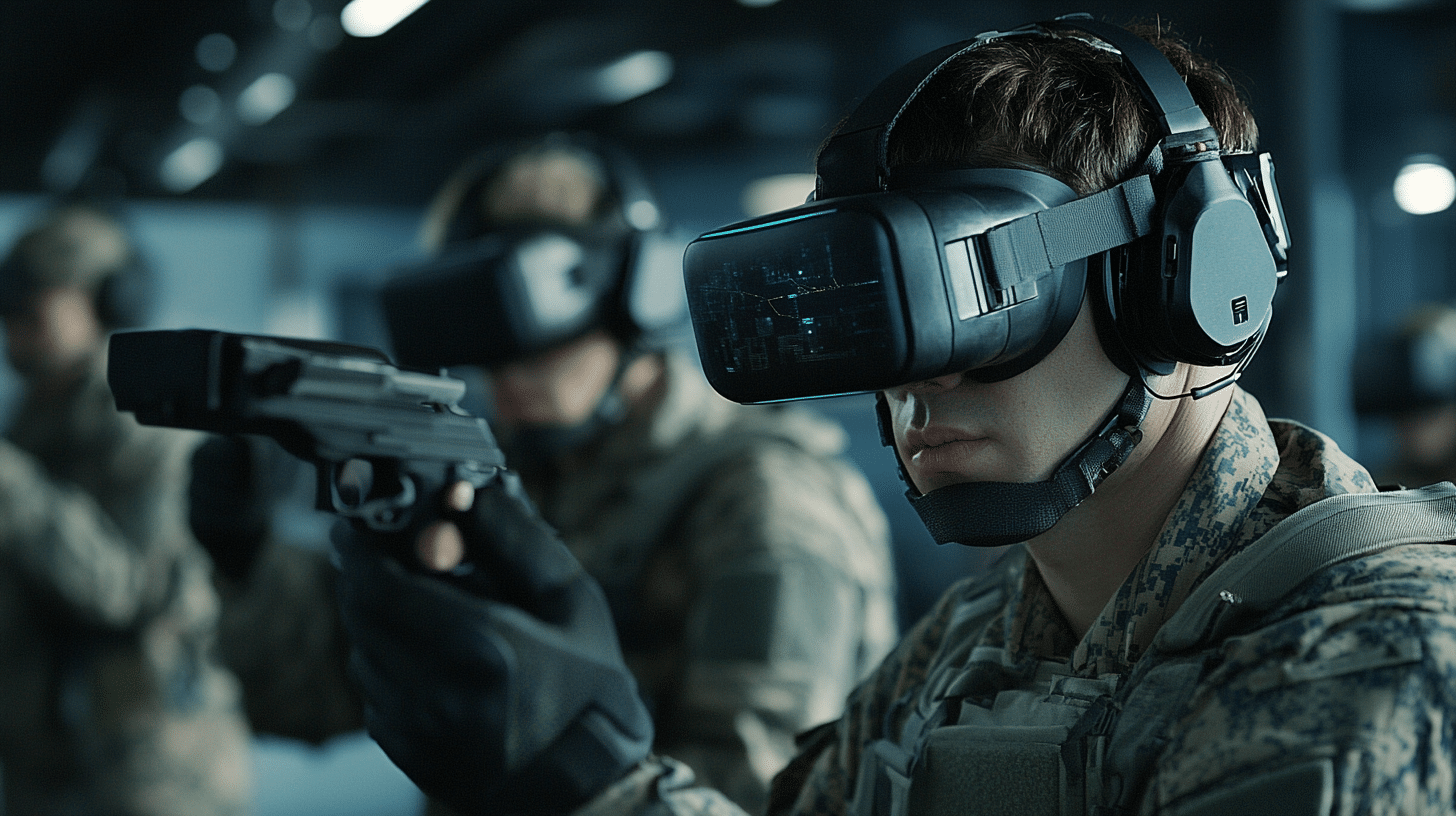
Virtual Reality (VR) provides a safe and controlled environment for soldiers to experience realistic combat scenarios. These simulations include ambushes, urban warfare, and open-field battles, allowing soldiers to develop decision-making skills and situational awareness. 

By immersing trainees in high-stress situations, VR helps them learn how to respond effectively under pressure without the physical risks associated with live training exercises.

Example: Soldiers might engage in a VR simulation of a hostage rescue mission in a dense urban environment, facing dynamic challenges such as navigating complex layouts and identifying threats.

2. Tactical Mission Planning

				
					Use Case: Teams rehearse missions using VR to visualize terrains, plan routes, and execute strategies.


					Purpose: Allows for detailed preparation of operations in unfamiliar or hostile 


					Benefit: Reduces risks by simulating various outcomes and contingencies.


VR enables military units to plan and rehearse missions with unparalleled detail. Using virtual replicas of real-world terrains, teams can visualize operational strategies, identify potential obstacles, and rehearse coordinated maneuvers.

This allows soldiers to adapt quickly to changing scenarios during actual missions.

Example: A team preparing for a jungle rescue operation can use VR to practice navigating dense foliage and executing stealth tactics.

3. Flight Training

				
					Use Case: Pilots use VR flight simulators to learn aircraft controls, maneuvers, and emergency protocols.


					Purpose: Provides cost-effective training without the need for expensive equipment or risking lives.


					Benefit: Accelerates skill acquisition while reducing resource usage.


Pilots use VR flight simulators to practice handling aircraft, mastering controls, and responding to emergencies. These simulators replicate real-world conditions, including weather variations, mechanical failures, and combat scenarios. VR flight training is cost-effective and eliminates the risk of accidents during training.

Example: A fighter pilot practices evasive maneuvers in a VR cockpit while dealing with simulated enemy attacks and system malfunctions.

4. Vehicle and Tank Operations

				
					Use Case: Drivers and operators train on VR simulators for armored vehicles, tanks, and submarines.


					Purpose: Familiarizes operators with controls and real-time vehicle dynamics.


					Benefit: Lowers maintenance costs and risk of equipment damage during training.


VR is used to train operators of armored vehicles, tanks, and submarines. Trainees familiarize themselves with vehicle controls, weapon systems, and operational procedures in realistic virtual environments. This minimizes wear and tear on actual equipment and reduces training costs.

Example: Tank operators can practice firing weapons, navigating rough terrain, and coordinating with other vehicles in a VR battlefield scenario.

5. Medical Training in Combat Zones

				
					Use Case: Combat medics practice treating injuries in VR-simulated battlefield environments.


					Purpose: Enhances preparedness for handling wounds, triage, and evacuations under combat conditions.


					Benefit: Saves lives by improving readiness for real-life medical emergencies.


Combat medics train in VR environments that simulate battlefield injuries and emergencies. These scenarios range from treating gunshot wounds to performing triage under fire. VR enhances medics’ ability to provide life-saving care in high-stress situations.

Example: A VR scenario places medics in a simulated battlefield where they must stabilize multiple casualties while under fire.

6. Parachute Jump Training

				
					Use Case: Soldiers simulate parachute jumps and landing techniques using VR.


					Purpose: Reduces risks associated with live jump training by allowing trainees to practice in a safe environment.


					Benefit: Builds confidence and refines technique before real-world practice.VR simulates parachute jumps, allowing trainees to practice exit techniques, freefall maneuvers, and landings. This reduces the risks associated with real-life training jumps and helps trainees build confidence before actual deployment.


VR simulates parachute jumps, allowing trainees to practice exit techniques, freefall maneuvers, and landings. This reduces the risks associated with real-life training jumps and helps trainees build confidence before actual deployment.

Example: Soldiers experience a simulated jump from an aircraft, complete with wind resistance and variable landing terrains.

7. Improvised Explosive Device (IED) Training

				
					Use Case: Soldiers identify, diffuse, and handle IED threats in VR environments.


					Purpose: Prepares personnel for high-risk bomb disposal scenarios.


					Benefit: Enhances safety and efficiency in bomb disposal missions.


IED detection and disposal is one of the most dangerous tasks in military operations. VR allows soldiers to practice identifying, approaching, and diffusing explosive devices in a safe virtual environment.

Example: A soldier trains in a VR scenario where they must locate and disarm an IED hidden along a convoy route.

8. Naval Operations Training​

				
					Use Case: Sailors practice ship navigation, maintenance, and combat scenarios using VR.


					Purpose: Familiarizes trainees with ship operations and maritime warfare strategies.


					- Benefit: Reduces dependency on live vessel training, cutting costs and risks.


VR enhances naval training by simulating ship navigation, maintenance, and combat scenarios. Trainees can practice responding to emergencies such as fires or flooding, as well as combat scenarios like enemy ship engagements.

Example: A naval crew practices navigating through a storm while coordinating damage control efforts and engaging in simulated combat.

9. PTSD and Stress Management

				
					Use Case: VR is used for therapy to help soldiers manage PTSD symptoms by exposing them to controlled, therapeutic simulations of combat scenarios.


					Purpose: Aids mental health recovery through exposure therapy and relaxation techniques.


					Benefit: Supports long-term well-being and mental resilience.


VR is increasingly used in therapy for soldiers dealing with Post-Traumatic Stress Disorder (PTSD). Controlled VR environments expose veterans to combat scenarios in a therapeutic context, helping them process and overcome traumatic experiences.

Example: A soldier revisits a simulated version of a past combat event in a safe setting, guided by a therapist to reduce anxiety and build coping mechanisms.

10. Cybersecurity and IT Defense Training

				
					 Use Case: Simulates cyber-attacks on military networks to train personnel in defensive and counter-attack strategies.


					Purpose: Prepares teams for handling real-world cyber threats in a safe virtual space


					 Benefit: Builds robust IT defense skills critical for modern warfare.


With the rise of cyber warfare, VR is used to train military personnel in defending against cyber threats. Simulations include scenarios like hacking attempts, system breaches, and countermeasures.

Example: A VR training exercise simulates a cyber-attack on a military base, where trainees must identify vulnerabilities, stop the attack, and secure the network.

Conclusion:

These use cases demonstrate how VR is revolutionizing military training by offering immersive, safe, and cost-effective solutions. It not only enhances skill development but also ensures better preparedness for real-world challenges. Let me know if you’d like me to expand on any specific use case or create related content!
Architecture of virtual reality system

Architecture of Virtual Reality System

When I first experienced Virtual Reality (VR), I remember feeling like I had stepped into the future. 

It wasn’t just about the game I was playing but more about the way everything came together—hardware, software, and all those unseen pieces working in harmony to transport me into another world. 

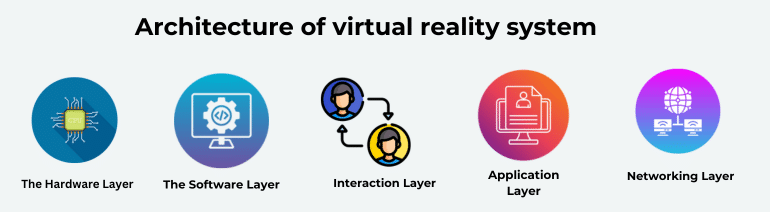
So, when people ask me about the architecture of Virtual Realtiy system, I always think of it as layers—each doing its part to make that experience possible. Let me break it down for you.

Architecture of virtual reality system​

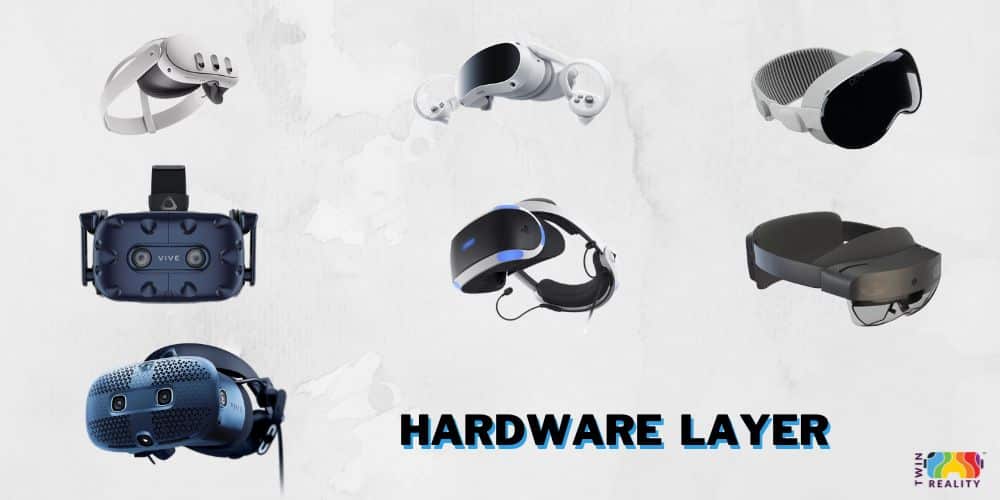
1. The Hardware Layer: Your Gateway to Another World

The first thing that hits you in a VR setup is the hardware, right? We’re talking about the headset, controllers, and all those sensors that track every move.

a) VR Head-Mounted Display (HMD):

    • Provides stereoscopic 3D rendering of the virtual environment.
    • Examples: Oculus Rift, HTC Vive, PlayStation VR.
    • Features include head tracking, motion sensors, and display for each eye.

b) Input Devices:

    • Handheld Controllers: Devices like joysticks, VR controllers (e.g., Oculus Touch, Vive Controllers) allow users to interact with objects in the virtual world.
    • Gloves or Haptic Devices: Provide tactile feedback (haptic feedback) to simulate the sense of touch.
    • Body Tracking Sensors: Full-body sensors or suits that track the user’s physical movements and map them to their avatar in the virtual world.

c) Tracking Systems:

    • External Sensors (Positional Tracking): Cameras or external base stations to track the user’s movement in the physical space (e.g., HTC Vive Lighthouse sensors).
    • Inside-out Tracking: Sensors built into the headset that track the environment without external cameras.
    • Eye Tracking: Some VR systems include eye-tracking technology for gaze-based interaction.

d) Computational Power:

    • PC or Console: High-performance hardware is required to render VR experiences in real-time, with powerful GPUs (e.g., NVIDIA, AMD) and CPUs to process the VR environment.
    • Mobile VR: Lower-end VR experiences can run on mobile devices, using smartphone hardware for rendering (e.g., Google Cardboard, Oculus Go).

2. The Software Layer: Where the Magic Happens

The Software Layer

Now, hardware is just one part. All that amazing stuff is useless without the right software to back it up. At the heart of it all is the rendering engine—this is where the VR magic really comes to life.

a) Rendering Engine:

    • The core of the VR system, which renders the virtual world in real-time.
    • Examples: Unity 3D, Unreal Engine.
    • Handles lighting, shadows, textures, and physics calculations to create a realistic 3D environment.

VR SDKs (Software Development Kits):

    • Provides libraries and APIs that interface with VR hardware, enabling developers to build VR experiences.
    • Examples: Oculus SDK, SteamVR SDK, OpenVR.

c) Graphics API:

    • Low-level software that interfaces with the GPU to handle rendering tasks.
    • Examples: OpenGL, DirectX, Vulkan.

d) Virtual Environment and Asset Management:

    • 3D Models: The objects and environments in the virtual world.
    • Textures and Materials: Surface details of virtual objects (e.g., smooth, rough, shiny).
    • Audio: 3D spatial sound to enhance immersion.

e) Physics Engine:

    • Simulates real-world physics like gravity, collisions, and object interactions.
    • Examples: NVIDIA PhysX, Havok Physics.

f) User Interface (UI) and Interaction Management:

    • Provides mechanisms for users to interact with virtual objects.
    • UI elements like buttons, menus, and other interactive objects are placed within the VR environment.
    • Gesture Recognition: System recognizes user gestures and translates them into actions within the VR world (e.g., grabbing or moving an object).

3. Interaction Layer: Bridging Reality and Virtual Reality

When I first started tinkering with VR systems, I quickly realized the most important thing wasn’t just what you saw but how you interacted with it. This is where the interaction layer kicks in. 

Imagine this: You reach out with your hand to grab something in the virtual world, and the system has to translate that motion into something the computer understands. 

a) Input Processing:

    • Hand, body, and controller movements are tracked and mapped into virtual space.
    • Gesture and motion recognition algorithms interpret physical actions.

This happens through complex input processing systems that take the signals from your controllers (or gloves) and match them up to virtual movements.

Some systems even use gesture recognition to understand hand motions. If you’ve ever waved at someone in VR or given a thumbs-up to your virtual buddy, gesture recognition was making that possible. And of course, the feedback you get—whether it’s a subtle vibration in your controller or 3D audio that changes depending on where you turn—makes the virtual world feel more real.

b) Feedback Systems:

    • Haptic Feedback: Devices like VR gloves or controllers provide tactile responses when the user interacts with virtual objects.
    • Audio Feedback: 3D sound that responds to user interaction and environmental cues.
    • Visual Feedback: Changes in the virtual environment based on user actions, such as object movements or menu selections.

I always joke that VR is like playing in a movie where you’re the actor, and the world reacts to everything you do.

4. Application Layer: The Real Fun Stuff

Virtual Reality Application Layer

So, once you’ve got the hardware and software working together, what’s next? It’s all about the applications.

This is what you, as the user, are there for—the VR games, the training simulations, the virtual museums.

For me, the cool part is that VR can be anything, from a simple space shooter game to a complex training simulator for surgeons. Imagine being able to practice heart surgery in VR before ever touching a real patient. That’s not sci-fi anymore—it’s happening.

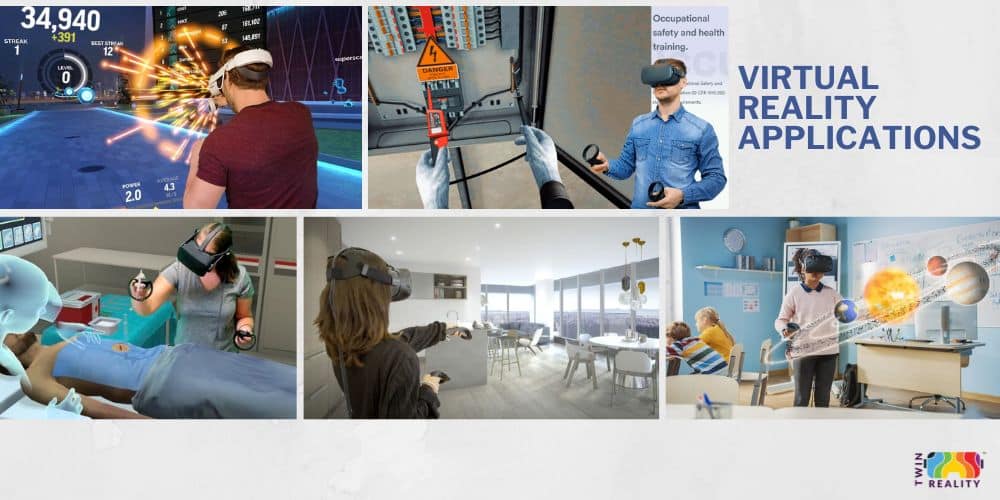
a) Virtual Reality Applications:

    • Games: VR games offer fully immersive experiences.
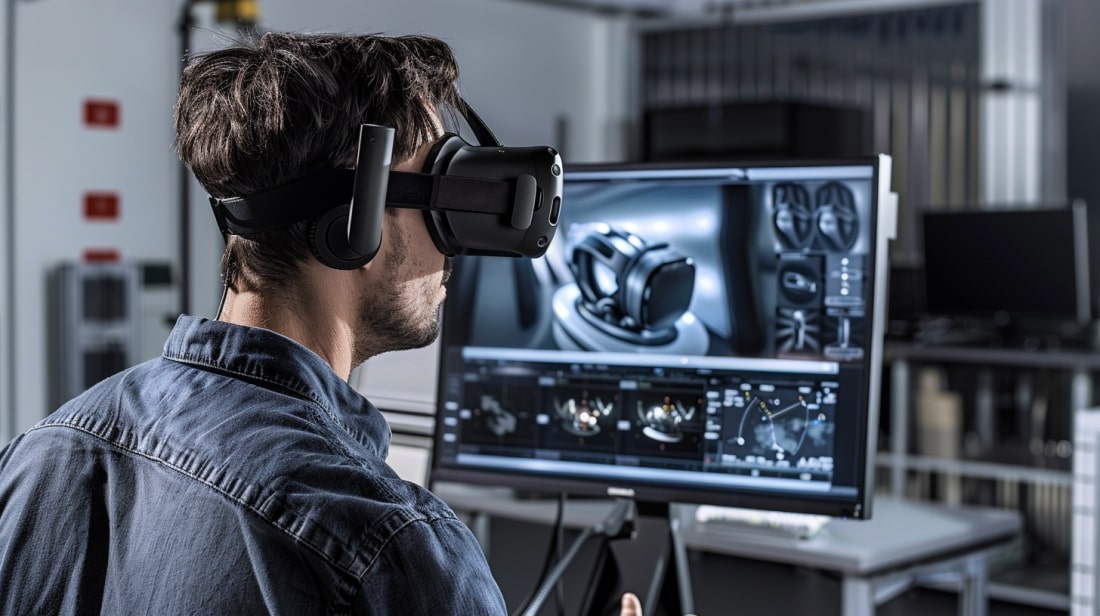
    • Training Simulations: Used in fields like healthcare, engineering, or aviation to provide training without real-world consequences.
    • Education: VR classrooms or virtual tours of historical sites.
    • Architectural Visualization: Allows architects and clients to walk through virtual buildings.
    • Health and Therapy: VR systems designed to reduce anxiety, provide physical rehabilitation, or offer mental health treatment.

b) Content Management System:

    • System for managing VR content updates, levels, assets, and versions.

5. Networking Layer: Connecting Virtual Worlds

If you’ve ever played multiplayer VR games, you know how fun (and chaotic) it can be to interact with other real people in the same virtual world. 

This is made possible by the networking layer. Multiplayer engines ensure that everyone’s actions are synced in real-time, whether you’re battling aliens together or just hanging out in a virtual lounge. 

Without it, you’d see people’s avatars lagging behind their real-world movements, and that’s a total immersion killer.

a) Multiplayer Engine:

    • Handles real-time communication between multiple users in the same VR environment.
    • Synchronizes user actions, avatar positions, and interactions.

b) Cloud Services:

    • Cloud-based storage and computation (e.g., offloading complex rendering or physics calculations).
    • Asset streaming for dynamic content updates.

Final Thoughts: Putting It All Together

When you take a step back, the architecture of Virtual Reality system isn’t just about the tech. It’s about how all these layers—hardware, software, interaction, and networking—work together to create something that feels seamless. 

I think the real beauty of VR is that, when everything works perfectly, you forget it’s a system at all. You’re just… there, wherever “there” is.

And trust me, once you’re lost in a virtual world, it’s hard to come back to reality without feeling like something magical just happened.

Best VR Headsets in the India (2026) – Top Picks for Gaming & Work

Best VR headset

As a VR enthusiast and the CEO of Twin Reality I have tried multiple VR Headset because it gives me vast idea that what type of headset we can use for VR applications.

So let’s jump directly to the best VR headset currently in 2025.

Best Sellers 🛍️

Top 10 VR Headset in USA

These listed VR headset is most popular VR headset. You can also suggest headset which you find need to be in this list. 

From my knowledge these are the Best VR headset in INDIA.

Let’s know more about our Best VR Headsets. I have created a list where you can understand which VR headset is good for you.

In this guide, we break down the best VR headsets for Indian buyers, where to buy them, what they’re best for, and how they compare.

Best premium AR/VR

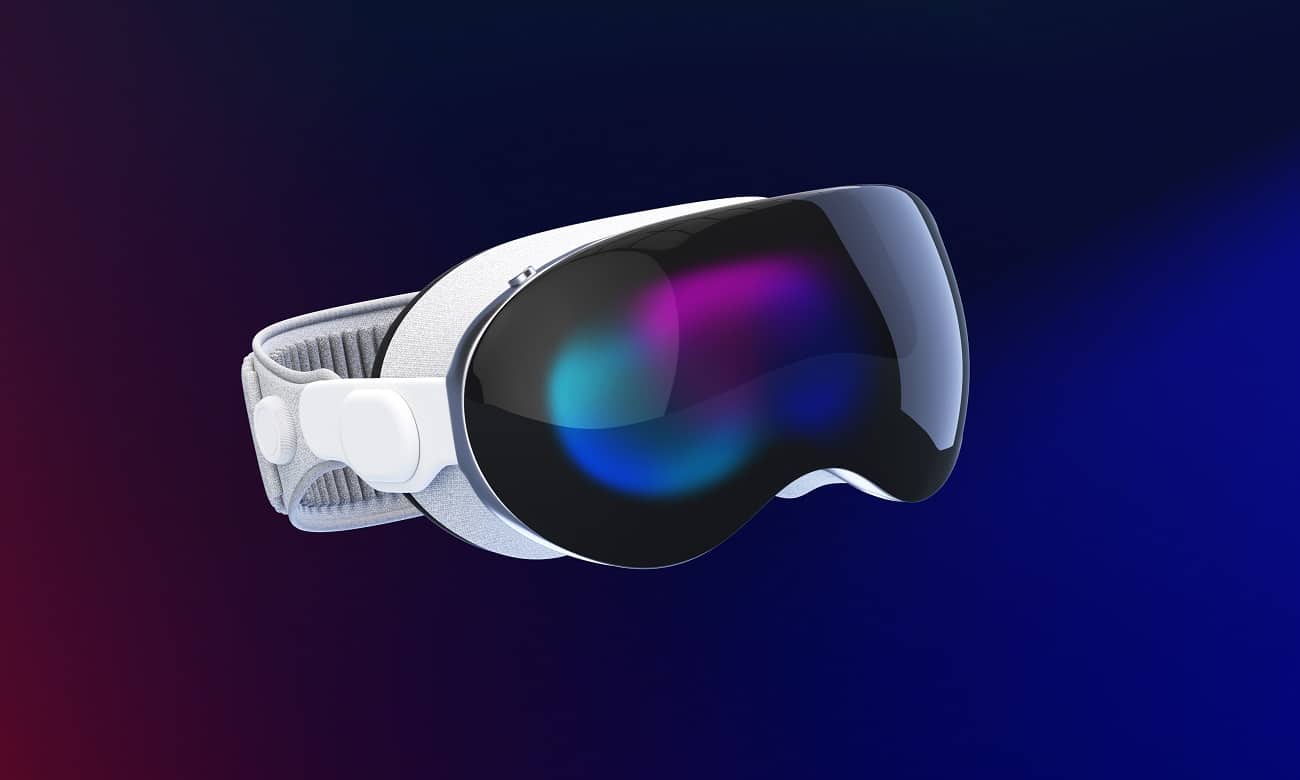
Apple Vision Pro

Pros & Cons

Is it worth to buy?

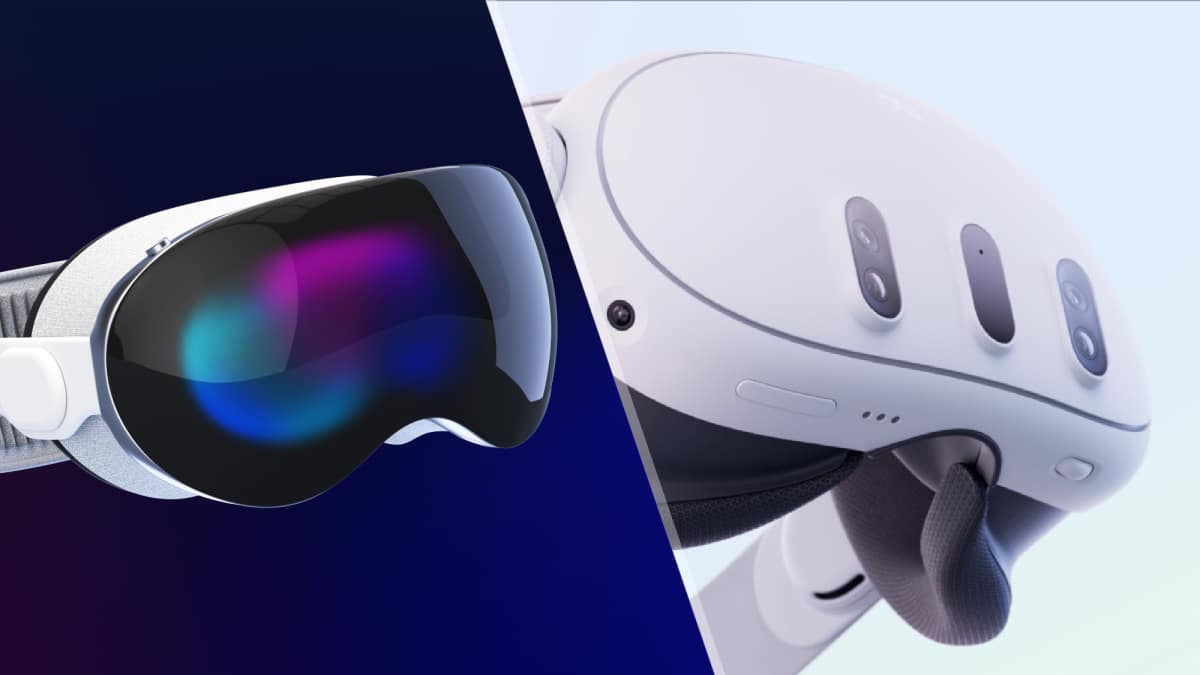
You know, when it comes to the Apple Vision Pro, the price tag of $3,499 makes you think twice, right? But here’s the thing: if you’re really into cutting-edge tech and the whole augmented reality scene, it might just be worth it. 

A friend of mine got to test it out, and they said it was like stepping into the future—the visuals were so sharp, and the way it blended digital with the real world was seamless. It’s like VR but on steroids.

That said, the battery life is a bit of a letdown—only about two hours if you’re not plugged in, which kind of kills the vibe if you’re deep into an immersive experience. Plus, the whole Apple ecosystem thing—it’s fantastic if you’re all-in on Apple, but a little limiting if you like to mix devices.

So, is it worth it?

 If you’ve got the cash and love being at the forefront of tech, absolutely. But if you’re more budget-conscious or prefer to wait for second-gen improvements, it might be better to hold off for now.

Who is it for?

The Apple Vision Pro is really for those people who love being early adopters of groundbreaking tech. If you’re someone who gets excited about the latest innovations and doesn’t mind splurging on a first-gen product, this might be your thing. 

It’s perfect for tech enthusiasts, professionals in design, architecture, or even creative fields who want immersive experiences, and, of course, the hardcore Apple fans who already live in the Apple ecosystem.

But if you’re the type who needs practicality, value for money, or just wants something that works well without the extra flash, the Vision Pro might feel like overkill—at least for now. 

It’s really geared towards those who want to push the boundaries of what’s possible with AR and VR, and who aren’t afraid to invest in that future today.

Get it Now

Pros & Cons

Is it worth to buy?

Honestly, if you’re into VR but don’t want to break the bank, the Meta Quest 3 is worth a look. I’ve seen a lot of people jump into it because of how affordable and easy it is to use—no need for a PC or extra gear. A friend of mine grabbed one recently, and they were hooked right from the setup. The games look solid, and with the new chip, everything runs pretty smooth.

That said, it’s not perfect. The battery life can be a bit of a letdown, and if you’re hoping for mind-blowing mixed reality like the Apple Vision Pro, you might feel underwhelmed. But for the price? It’s hard to beat. If you just want to dive into VR gaming and dabble in some mixed reality without spending a fortune, the Quest 3 is definitely worth it.

Who is it for?

The Meta Quest 3 is perfect for casual gamers, VR newbies, and anyone looking to experience virtual reality without spending a fortune. It’s also great for people who want something they can use right out of the box—no complex setups, no extra hardware needed. If you’re the kind of person who’s curious about VR but isn’t ready to invest in something super high-end, this is probably your go-to headset.

That being said, if you’re a hardcore tech enthusiast or someone looking for advanced AR for productivity, you might want to look elsewhere. This one’s really for the gamers and the curious, not so much for the pros.

Get it Now

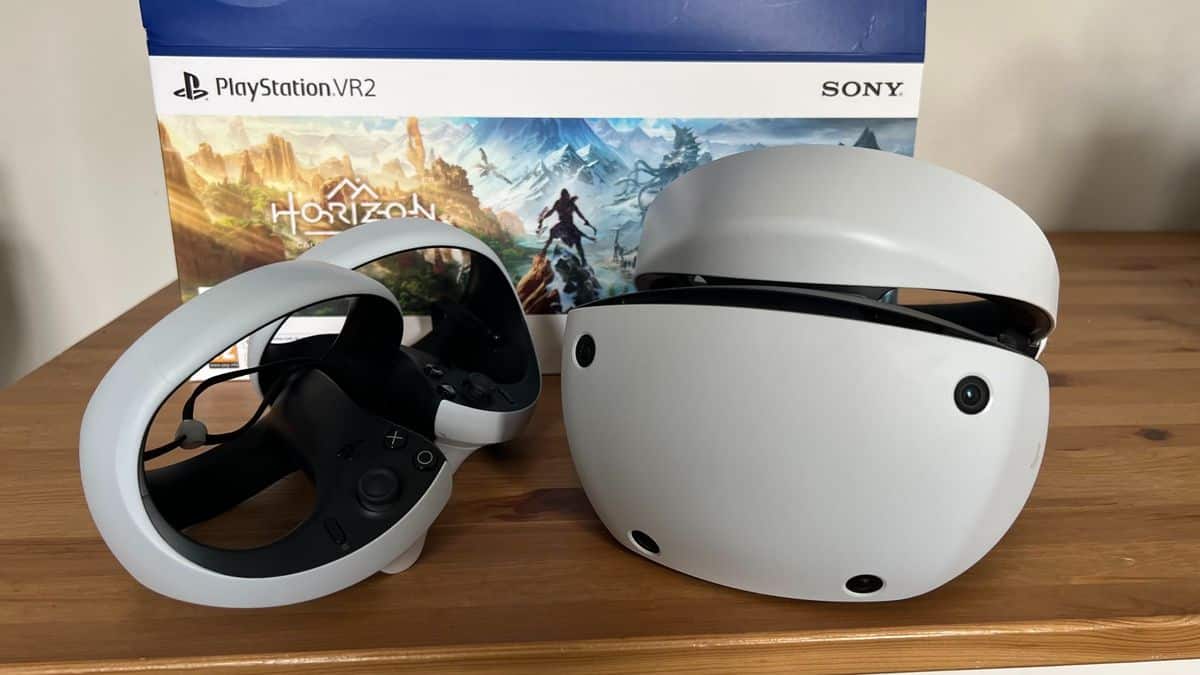
Sony PlayStation VR2

Best VR headset for PSVR Games

Sony PlayStation VR2

Pros & Cons

Is it worth to buy?

If you’re a gamer with a PS5 and you want the most immersive experience Sony has to offer, the PlayStation VR2 is definitely worth it. A buddy of mine recently got one, and he was blown away by the visuals—super sharp and vibrant. Plus, the haptic feedback and eye tracking make it feel like you’re really inside the game.

That said, it’s not cheap, and if you don’t already have a PS5, the cost really adds up. Also, it’s still wired, which might be a dealbreaker for some. But for hardcore gamers who love PlayStation exclusives, it’s a game-changer.

Who is it for?

The PlayStation VR2 is really for serious gamers who already have a PlayStation 5 and want to take their gaming to the next level. If you’re someone who loves immersive experiences and enjoys PlayStation exclusives, this headset is perfect for you. It’s ideal for players who want stunning visuals, realistic haptic feedback, and cutting-edge technology like eye tracking.

However, if you’re a more casual gamer or not fully invested in the PlayStation ecosystem, it might feel like overkill. This one’s for the dedicated crowd who love pushing the boundaries of what gaming can be.

Get it Now

Pros & Cons

Is it worth to buy?

The Meta Quest 3S is generally worth buying, especially if you want an affordable way to experience virtual reality for the first time.

It offers strong performance because it uses the same Snapdragon XR2 Gen 2 processor found in the more expensive Meta Quest 3, so most games and apps run smoothly. It also works as a standalone headset, meaning you don’t need a PC or console to use it, and it gives access to a large library of VR games, fitness apps, and mixed-reality experiences.

The price is one of its biggest advantages, since it costs much less than many other VR headsets while still delivering a very similar experience. However, it does have some compromises: the display resolution and lenses are not as good as the Quest 3, the battery usually lasts around 2–2.5 hours, and the default head strap may feel uncomfortable for long sessions.

Overall, if you want a budget-friendly VR headset for gaming and exploring VR, the Meta Quest 3S is a very good choice, but if you want the best visuals and comfort, the Meta Quest 3 would be the better option.

Who is it for?

The Meta Quest 3S is mainly designed for people who want an affordable entry into virtual reality. It is especially suitable for beginners who have never owned a VR headset before, because it is relatively cheap and easy to use as a standalone device without needing a PC or console.

It’s also a good choice for casual gamers who want to play popular VR games like rhythm games, adventure titles, or fitness apps without spending a lot of money. In addition, it works well for people who want short, fun VR experiences such as watching movies on a virtual screen, social VR hangouts, or trying mixed-reality apps where digital objects appear in your room.

Some families also buy it as a shared headset for entertainment or exercise, since it provides solid performance and access to a large app library at a lower price. Overall, the Quest 3S is best for new VR users, casual gamers, and budget-conscious buyers, rather than enthusiasts who want the highest visual quality or long professional use.

Get it Now

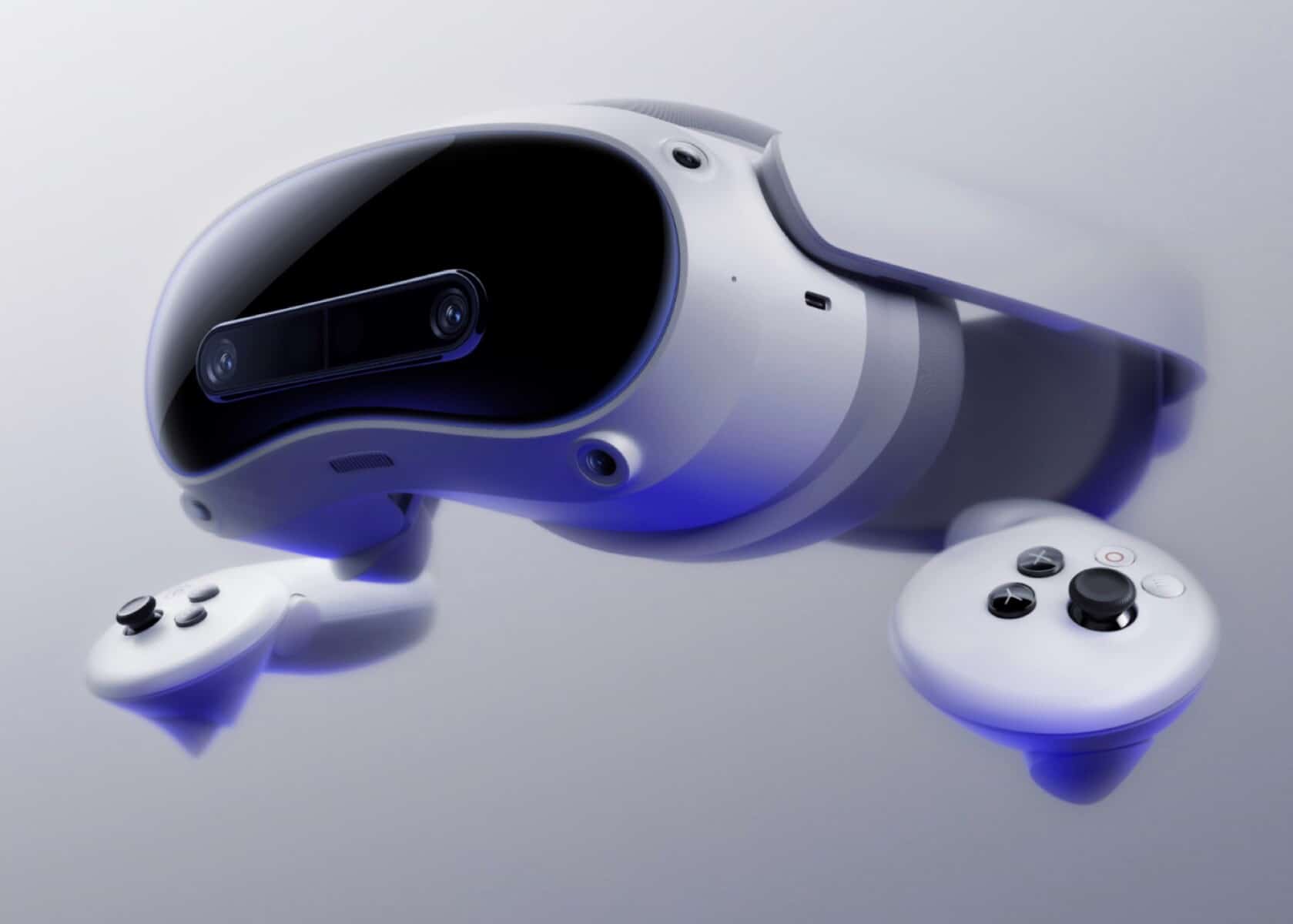
Pico 4 ultra

🛍️ Where to Buy VR Headsets in the INDIA
Architecture of Virtual Reality System

FAQs

Q: What’s the most popular VR headset in the India in 2026?

A: Meta Quest 3 leads in overall popularity due to its price, ecosystem, and flexibility.

Q: Can I buy Pico 4 in the US?

A: Yes, but only through third-party sellers like Amazon or B&H, as it’s not officially launched in the U.S.

Q: What’s the best VR headset for under $500?

A: Meta Quest 3 is the top pick under $500.

Q: Is Vision Pro worth it?

A: Only if you plan to use it for productivity, spatial design, or AR-focused tasks. It’s not built for gaming.

The U.S. market in 2025 offers more VR choices than ever before. Whether you’re gaming, creating, exercising, or working—there’s a headset that fits your goals and budget.

If you’re just starting out: go with the Quest 3.
If you’re all-in on PC gaming: Index still rocks.
If you’re exploring the future of spatial computing: Vision Pro is unmatched.

Top 12 tools needed for VR development

VR Development tools

Welcome to our blog, where we embark on an exciting journey to create a Virtual Reality (VR) application. This series is designed to guide you, step-by-step, through the fascinating process of VR development. Whether you’re a seasoned developer or new to the field.

Get ready to unlock the potential of VR technology and bring your virtual visions to life!

1. Development Engines:

Development Engines are foundational software frameworks used for the creation and development of VR applications. They provide the necessary tools for rendering graphics, simulating physics, and managing gameplay.

  • Unity: A versatile engine supporting 2D and 3D graphics, known for its ease of use and strong community support. It’s particularly popular among indie developers and supports a wide range of VR platforms.

  • Unreal Engine: Offers high-end graphics rendering capabilities, making it suitable for creating visually stunning VR experiences. It’s preferred for projects requiring advanced visual effects but has a steeper learning curve.

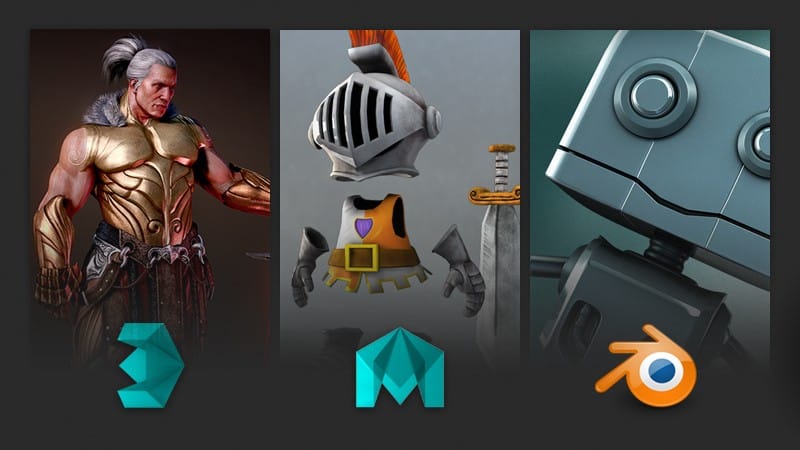
2. 3D Modeling and Animation Software:

These software tools are essential for creating the 3D models and animations that populate VR environments

      1. Blender: A comprehensive tool for creating 3D content, from modeling and rigging to animation and rendering. It’s particularly attractive for small studios or individual developers due to its no-cost nature.
      2. Maya: Industry-standard software offering sophisticated tools for 3D modeling, animation, and visual effects. Commonly used in professional environments.
      3. 3ds Max: Offers robust modeling and rendering tools and is widely used in the game development and film industries.

3. Integrated Development Environments (IDEs):

IDEs are critical for coding the logic of VR applications. They offer features like code editing, debugging, and project management.

      1. Visual Studio: A powerful IDE supporting multiple programming languages, known for its debugging tools and code editor.
      2. Rider  (unreal): Rider is a new option for C++ in general and Unreal Engine from JetBrains.

4. VR SDKs (Software Development Kits):

SDKs provide the specific tools and libraries needed
for third-party developers to use in producing applications using a particular framework or platform.

      1. Oculus SDK: Provides the necessary libraries and tools to develop VR applications for Oculus devices.
      2. SteamVR SDK: Offers compatibility with a wide range of VR hardware, making it suitable for developers targeting multiple VR platforms.
      3. Google VR SDK: Geared towards mobile VR development, with tools and libraries for Android-based VR applications.

5. Audio Tools:

VR experiences are greatly enhanced by spatial audio , I have seen new developers often ignore audio however in a production ready appliaction a proper audio is very much needed

      1. FMOD: A sound effects engine used for creating and integrating complex audio experiences in games.
      2. beatoven: It is an innovative AI-powered music creation tool that simplifies composing original music. Its intuitive interface allows users to generate unique soundtracks tailored to their specific needs, making it ideal for creators, marketers, and anyone seeking custom music without the complexities of traditional composition.

6. Asset Libraries:

      1. Unity Asset Store: An online store offering a wide range of assets, including models, scripts, and tools, specifically for Unity developers.
      2. Unreal Engine Marketplace: A similar platform for Unreal Engine, offering assets optimized for this engine.
      3. Open Game Art : It is a free resource offering a diverse collection of art assets for game development. It hosts a variety of 2D and 3D art, textures, music, and sound effects, contributed by a community of artists, suitable for use in various game projects including indie and educational purposes.

7. Version Control Systems:

      1. Git: A distributed version control system that helps teams manage changes to source code over time.
      2. Plastic SCM (unity): Plastic SCM is unity specific version control which was acquired by Unity in 2020 and is now a part of Unity DevOps . It gives users access to Version Control, Build Automation, and upcoming Artifact Center component
      3. Subversion (unreal) : Unreal Engine 4 comes with an integrated method that allows people to work together on their projects using version control software called Subversion or SVN for short. 

8. Performance Optimization Tools:

Performance is critical in VR to ensure a comfortable user experience. Any frame drop in VR can cause nausea hence it is very important for VR app to be highly optimize

        1. Unreal Engine Profiler: A comprehensive tool for real-time performance monitoring and optimization, offering detailed insights into CPU and GPU usage, memory
          allocation, and system resource utilization for fine-tuning Unreal Engine-based applications.
        2. Unity Profiler: An integrated part of the Unity Editor, this profiler provides detailed information about game performance, including CPU and GPU usage, memory management, and asset loading times, essential for optimizing Unity-based applications for smooth and efficient performance.

3 Virtual Reality Rehabilitation and its Use Cases

VR Rehabilitation

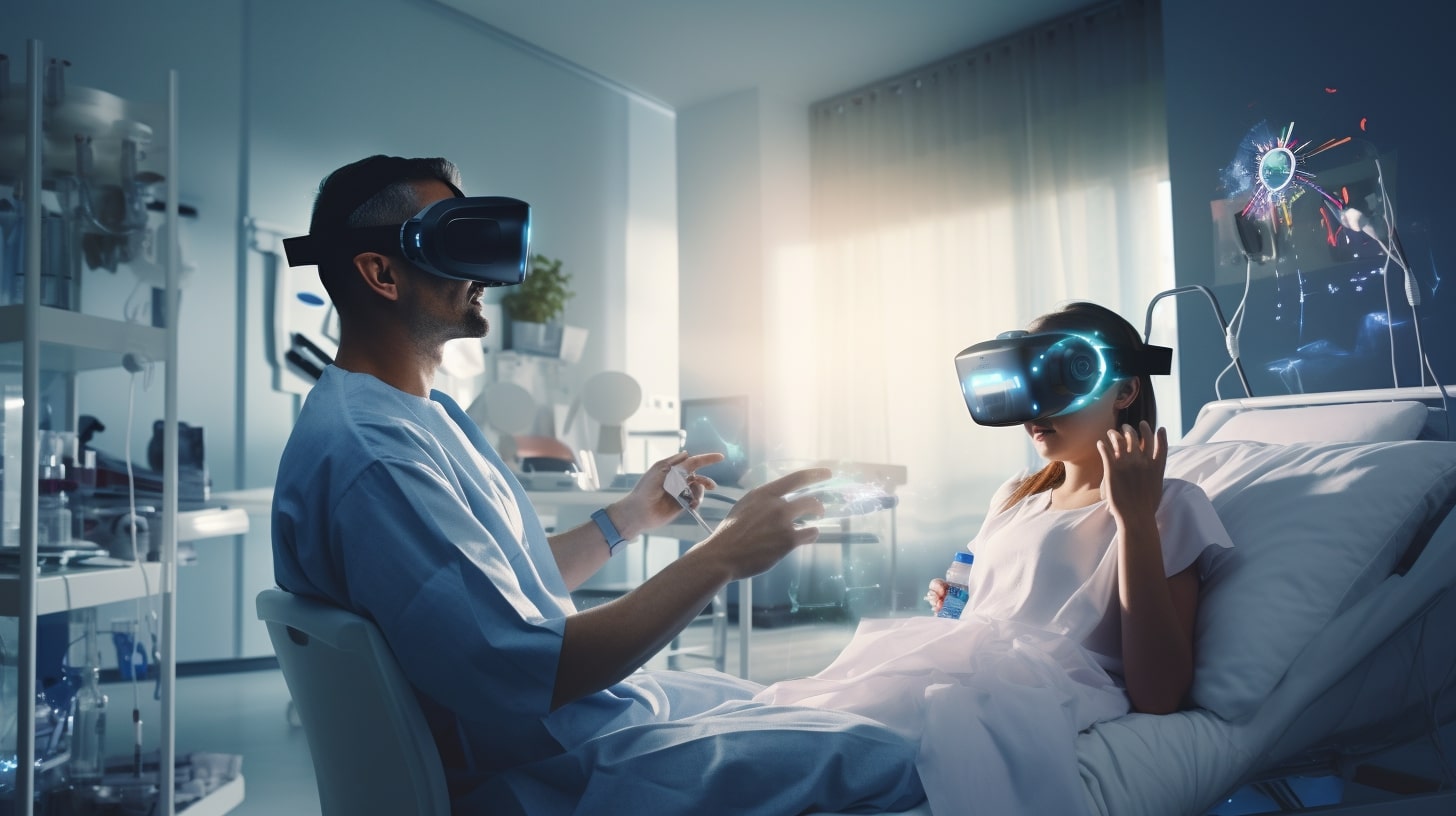
The use of virtual reality in healthcare has spread to various domains, including diagnosis and treatment including surgery, counselling, and rehabilitation. Virtual reality creates the illusion of a three-dimensional environment.

When these environments adapt to the users’ movements, they make the users feel completely submerged in this technologically created reality. As a result, virtual reality company leverages the use of the potential for technical development to create a variety of realistic virtual worlds.

Patients who are unable to benefit from physical therapy can still move and exercise with the aid of virtual reality. This is mostly due to the fact that in a simulated setting, patients are totally absorbed in the realism that the virtual environment has created.

For this reason, unlike in physical therapy, their focus does not change to the experience of bodily pain.

As a result, patients in virtual environments are unaware of any physical pain. When there is no physical pain, patients are able to effectively accomplish their goals.

What is Virtual Rehabilitation?

Virtual Reality Rehabilitation is emerging as the need of the hour. This virtual form of rehabilitation has recently been demonstrated to be beneficial, and it is now being used for psychological and occupational therapies.

When receiving virtual reality therapy, patients are required to navigate a simulated digital interface and methodically do tasks that are precisely tailored to address a particular condition.

The technology setup is extensive and might include anything from a traditional desktop computer to a more modern virtual reality headset. This type of therapy is currently being explored by VR Healthcare Companies as an alternative to exposure therapy because it has been shown to be particularly successful in treating PTSD. 

VR Rehabilitation Vs Conventional Therapy

A common consequence of neurological impairment is the impairment of lower limb motor skills. It causes a number of restrictions, like limited engagement in day-to-day activities. Regaining these motor skills requires a difficult and slow process that occasionally takes several months to complete.

The repeated nature of the traditional rehabilitation method has a detrimental effect on a patient’s drive to overcome obstacles. The objective data needed to effectively track the patient’s improvement is lacking from this conventional approach.

Under these conditions, virtual reality has become an important therapeutic tool in the field of rehabilitation, instead of traditional or conventional therapy. Virtual reality makes the rehabilitation process both more efficient and interesting.

It combines VR-based rehabilitation techniques to create a satisfying, productive, and inspiring experience that can encourage progress.

Advantages of VR Rehabilitation

When virtual reality is used in the rehabilitation process for patients with different diseases, it has a lot to offer. These advantages include lower medical costs for the healthcare system, better use of resources, flexibility, patient education and motivation, based on the patient’s history, as well as transparency in data storage and accessibility. 

VR in Stroke Rehabilitation

Virtual reality has proven to be a useful technical development for stroke recovery. Because virtual reality may mimic real-world tasks, it helps people become more adept at taking care of themselves.

The virtual environment is provided via devices worn by the user or located within the virtual world. This immersive technology builds a sense of connection by layering the users’ experience. The goal of VR stroke rehabilitation is to cope with the symptoms and fallout after a stroke.

The most widely recognised benefit of virtual reality is its capacity to inspire perseverance in performing the necessary motions. Other benefits include the opportunity to practise independently, control over stimuli, and provide user feedback—all of which can be readily recorded due to the platform’s flexibility.

Additionally, it improves participation by enabling the patient to be in a secure setting like their own home.

VR in Pain Management and Reduction

Another area where virtual reality is making a big impact and may soon be able to eliminate patients’ dependency on drugs is pain management and reduction.

Virtual reality (VR) serves as the patient’s brain’s coping mechanism when they experience unpleasant feelings and aids in their relief. VR thereby promotes a quicker healing process.

VR in Cancer Rehabilitation

Virtual reality also helps cancer patients perform more effectively. These people can experience less pain and have better cognition, eyesight, and general wellness thanks to this technology.

Cancer remains one of the world’s most serious health issues. Chemotherapy is advised to reduce the likelihood of disease and completely remove the tumour mass.

Chemotherapy, however, is linked to a number of distressing symptoms, including depression, exhaustion, nausea, and vomiting. These symptoms make it harder for patients to follow the recommended regimen and lower their quality of life.

Therefore, immersive distraction interventions, like virtual reality therapy, are beneficial because they allow patients to focus on enjoyable stimuli rather than uncomfortable symptoms.

Virtual reality offers healing surroundings for cancer recovery. Chemotherapy can be more bearable and realistic goals can be achieved with the help of virtual reality and its distraction intervention feature.

Final Thoughts

Virtual reality rehabilitation is a form of therapy that can be both interactive and effective, which instils pleasure into the therapeutic process while encouraging and motivating patients to effectively confront their limitations.